

-1.png?width=400&name=CMS%20(23)-1.png)

What is digital asset management?
Digital asset management (DAM) is a platform for storing, organizing and distributing digital files like images, videos, documents and brand assets from one shared source. With metadata, smart search, version control and role-based permissions, teams quickly find the right material and only approved content gets used.
Most organizations don't lack content. They lack one place where everyone works from the same approved version of it. That's the problem a DAM solves.
What does a DAM actually do?
A DAM gives your organization one governed home for every digital asset. In practice, that means:
- Store: all images, videos, documents and design files in one central library
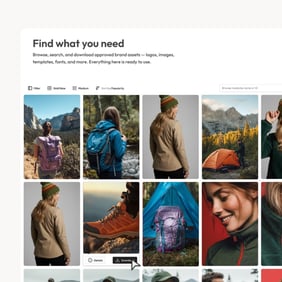
- Find: metadata, tags and smart search so anyone finds the right asset in seconds
- Control: role-based permissions, approval workflows and version control
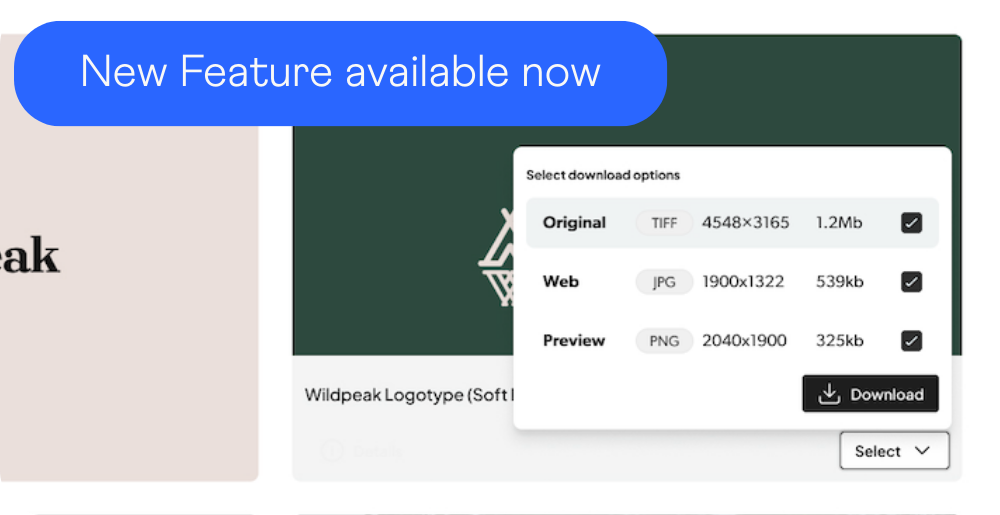
- Distribute: approved assets flow to your website, portals, channels and connected systems
- Measure: track which assets get used, where, and what's redundant.
The difference from a shared drive is control. Drives store files. A DAM governs them.
What are the benefits of digital asset management?
The three benefits organizations see first:
- Time saved. No more hunting through drives, inboxes and old servers. Employees find approved assets in seconds instead of asking colleagues "do you have the latest logo?"
- Brand consistency. Everyone pulls from the same approved version. Outdated or off-brand assets stop leaking out because expiry dates and approval states do the policing.
- Fewer duplicates and errors. One master asset serves every channel and market. Update it once and every connected system shows the latest version.
For larger organizations, add compliance: version history, audit trails and access logs turn audits from a scramble into a search.
What is the difference between a DAM and Google Drive or SharePoint?
Drive and SharePoint store files. A DAM governs them. That means role-based permissions, approval workflows, version control, structured metadata, expiry dates and distribution to other systems. If your team keeps asking "which version is the right one?", storage isn't your problem. Governance is.
Who needs a DAM?
Any organization where several teams, markets or partners depend on the same assets. Typical signals:
- Marketing, sales, e-commerce and regional teams all use the same files
- Assets need approval before use, or expire after campaigns and licenses end
- Partners, distributors, dealers or agencies need access to approved content
- The same asset must appear correctly on the website, in portals and across channels
- Compliance requires knowing who used what, when
Industries that get the most out of DAM include manufacturing, industrial and engineering, retail and consumer goods, and medtech, along with any multi-brand organization operating across markets and languages.
How different industries use DAM:
- Manufacturing: Lantmännen uses QBank as one source of truth for product documentation and technical specs across global markets
- Retail: Coop Norway distributes localized campaign material across channels through QBank integrations
- Medtech: Arjo centralized scattered assets and meets regulatory compliance with version control and audit trails
How do you choose DAM software?
Start by mapping how content actually moves through your organization, not by comparing feature lists. Ask:
- Which teams create content, and which teams approve it?
- Which systems need that content (CMS, PIM, e-commerce)?
- Which external stakeholders need access, and to what?
- Which markets need localized versions?
- Which compliance requirements apply?
Then evaluate platforms against those workflows. Three capabilities separate the options:
Governance. Role-based permissions, approval workflows, version control and audit trails. This decides whether the DAM holds up once the whole organization uses it.
Distribution. Can portals, websites and connected systems receive the latest approved version automatically? Can partners and distributors serve themselves without a DAM login? Distribution is the hardest thing to retrofit later, so evaluate it early.
Integrations. The DAM should connect to the tools you already use: CMS, PIM, e-commerce, creative tools like Adobe Creative Cloud, and workplace platforms like Microsoft 365. API-first platforms adapt as your systems change.
What does DAM software cost?
DAM pricing is typically based on the number of backend users, storage, add-on features and integrations. Enterprise platforms with governance, portals and integrations are quoted per organization based on setup. When you compare, ask what's included: implementation, integrations and API access are often priced separately.
How do you implement a DAM?
Implementation succeeds or fails on structure, not software. Three steps:
- Define goals and ownership. Decide what the DAM should solve first (brand consistency, faster production, partner access), who owns the system, and who manages assets day to day.
- Build the structure before uploading. Agree on metadata fields, naming conventions, taxonomy and permission roles. This is the foundation everything else depends on.
- Roll out in stages. Start with one team or asset type, prove the workflow, then expand. Train users on search and self-service, not just uploading.
Why does metadata matter so much?
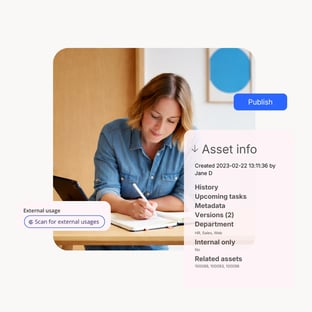
Metadata is what makes assets findable. Fields like product, market, language, campaign, rights and expiry date let users filter to exactly the right asset instead of scrolling folders. A DAM without a metadata plan is just a prettier file server.
What about version control?
Version control keeps one master asset with full history. When an asset is updated, every connected channel gets the new version, and older versions stay traceable. No more "final_v2_FINAL.jpg".
QBank DAM: enterprise DAM for governance and distribution
QBank DAM is built for organizations that need to manage, govern and distribute approved content across teams, markets, systems and external stakeholders.
- Govern: structured multilingual metadata, role-based permissions, approval workflows, expiry dates, version control and audit trails
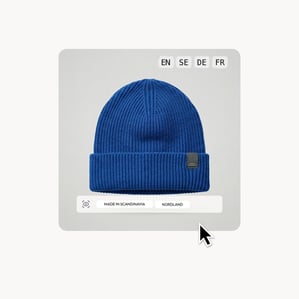
- Distribute: branded portals for partners, distributors and press, plus dynamic asset distribution that delivers one master asset to every channel in the right size and format
- Connect: API-first integrations with CMS, PIM, e-commerce and creative tools including Optimizely, inRiver, Sitecore, Adobe Creative Cloud and Microsoft 365
QBank is hosted on AWS within the EU/EEA, with encryption in transit and at rest, role-based access control and audit logging. Customers include Toyota Material Handling, Coop Norway and Dometic.
[Book a demo]
Frequently asked questions about digital asset management
What is digital asset management in simple terms?
It's one organized, searchable home for all your company's digital files, with rules for who can use what. Instead of files scattered across drives and inboxes, everyone works from the same approved source.
What types of files can a DAM manage?
Images, videos, documents, presentations, audio, design files and technical documentation. Most modern DAM platforms have no format limitations.
Who uses a DAM within an organization?
The whole organization: marketing, sales, e-commerce, product, HR, support and regional teams, plus external partners like distributors, dealers, agencies and press through portals.
How long does DAM implementation take?
It depends on the size of your asset library, the metadata structure and the integrations needed. The structure work (metadata, taxonomy, permissions) usually takes longer than the technical setup, so start there.
Is a DAM worth it for a small team?
If one team just needs shared storage, a drive may be enough. A DAM pays off once several teams, markets or partners depend on the same assets and control starts to matter more than storage.
What is the difference between DAM and CMS?
A CMS manages your website content. A DAM manages the assets themselves and feeds them to the CMS and every other channel. They work together: the DAM is the source, the CMS is one of many destinations.
Want this as a guide to share with your team? Download Understanding DAM.